


In This Article
Related topics
When looking for the best mouse for your needs, you may feel overwhelmed by the dozens of brands available to find the best one in terms of clicking accuracy, material quality, and comfort during use, making it difficult to make a confident purchasing decision.
But from now on, keep in mind that the Taqyemak website was specifically designed to completely and reliably eliminate this confusion. Unlike most reviewers, we don’t provide recommendations for marketing purposes. Instead, we rely on the reviews of thousands of buyers to show you the highest-rated products based on the number and percentage of reviews for each product, along with a simplified list of pros and cons. To view all of our criteria for selecting the best products, click here.
Gaming mouse category
Ranked #1
Logitech wireless mouse – silent plus m330
Number of reviews:
18,345

Pros of Logitech wireless mouse
- Delivers a quiet click reducing noise by 90% compared to a traditional computer mouse for a silent experience.
- Provides soft rubber grips to support hand comfort during long and continuous use.
- Adopts precise optical tracking for smart cursor control on any surface easily.
Cons of Logitech wireless mouse
- Some users complained that the product they received was not genuine.
Ranked #2
Razer essential gaming mouse – deathadder
Number of reviews:
10,247

Pros of Razer mouse
- Features an ergonomic design providing comfortable use for long hours without hand strain.
- Ensures high durability providing a button lifespan of up to 10 million clicks for heavy use.
- Allows 5 programmable buttons to assign functions and create complex macros easily.
Cons of Razer mouse
- Some users have complained that the product is of poor quality.
Ranked #3
Redragon gaming mouse – predator m612-rgb
Number of reviews:
10,325

Pros of Redragon gaming mouse
- Allows adjustable DPI levels between 500 and 8000 to meet different gaming needs.
- Provides a comfortable grip with a side rubber coating for optimal control and fatigue relief during extended use.
- Includes 5 RGB backlight modes adding dynamic aesthetics to the gaming space.
Cons of Redragon gaming mouse
- Some users have complained that the product stops working after a while.
Ranked #4
Glorious gaming mouse – model o minus
Number of reviews:
3,797
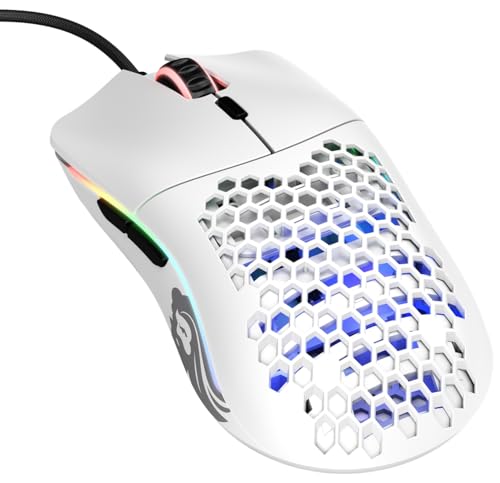
Pros of Glorious gaming mouse
- Features a honeycomb shell to reduce weight to 59 grams and provide hand ventilation.
- Provides a high-precision PixArt optical sensor with 12000 DPI and fast control.
- Has six programmable buttons with main buttons, a DPI button, and extra side buttons.
Cons of Glorious gaming mouse
- Some users have complained that the product is of poor quality.
Ranked #5
Logitech wireless gaming mouse – g502 x plus lightspeed
Number of reviews:
3,374
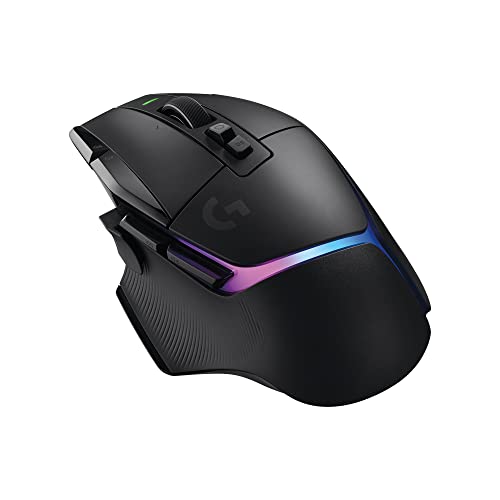
Pros of Logitech mouse
- Comes with LIGHTFORCE optical-mechanical switches to provide precise response during gameplay.
- Features a HERO 25K sensor allowing ultimate precision without acceleration or smoothing for excellent gaming performance.
- Provides a responsive connection that is 68% faster than the previous generation.
- Allows syncing RGB lighting with gameplay effects and optimizing battery life.
Cons of Logitech mouse
- Users have not met on a negative review for this product.
Ranked #6
Razer wireless gaming mouse – viper v3 hyperspeed
Number of reviews:
1,661
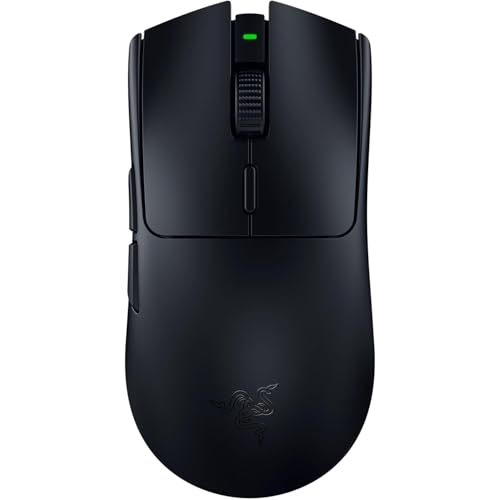
Pros of Razer wireless gaming mouse
- Features a lightweight design to ensure smooth and precise movements in competitive games.
- Comes with a Focus Pro 30K optical sensor ensuring high precision and flawless tracking on all surfaces.
- Ensures low latency and high stability even in crowded environments.
Cons of Razer wireless gaming mouse
- Some users have complained that the product’s quality has declined.
Ranked #7
Attack Shark x11 gaming mouse – paw3311
Number of reviews:
445

Pros of Attack Shark gaming mouse
- Provides quick and easy recharging to keep the mouse always ready.
- The PixArt 3311 sensor provides resolution up to 22,000 DPI for excellent performance.
- Supports three different connection modes to suit all scenarios easily.
Cons of Attack Shark gaming mouse
- Users have not met on a negative review for this product.
Ranked #8
Ugreen gaming mouse – rechargeable tri-mode
Number of reviews:
349
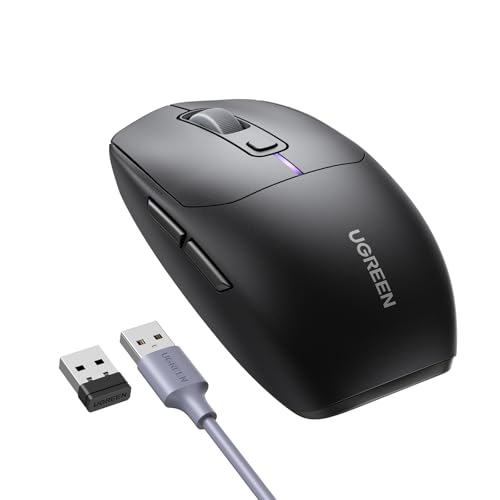
Pros of Ugreen gaming mouse
- Supports recharging with a 700mAh battery and a sleep mode to save power automatically.
- Provides an ergonomic design with 6 buttons, including side buttons for easier browsing.
- Features an optical sensor with resolution up to 5000 DPI with attractive RGB lighting.
Cons of Ugreen gaming mouse
- Users have not met on a negative review for this product.
Wireless computer mouse category
Ranked #1
Dell usb mouse – model ms116
Number of reviews:
47,009

Pros of Dell mouse
- Provides precise LED optical tracking with a wired connection for stable, reliable performance.
- Provides an ergonomic design during use and reduces hand fatigue.
- Compatible with most systems equipped with a USB port for smooth and easy operation.
Cons of Dell mouse
- Some users have complained that the product is of poor quality.
Ranked #2
Logitech wireless mouse – model m171
Number of reviews:
19,571

Pros of Logitech wireless mouse
- Provides a stable 2.4GHz wireless connection with a range up to 10 meters.
- Supports plug-and-play instantly without needing extra software or settings.
- Ensures precise optical tracking for smooth cursor control during daily work.
- Runs on a battery lasting up to 12 months with an on/off switch to save power.
Cons of Logitech wireless mouse
- Some users have complained that the product has stopped working.
Ranked #3
Logitech wireless mouse
Number of reviews:
17,689
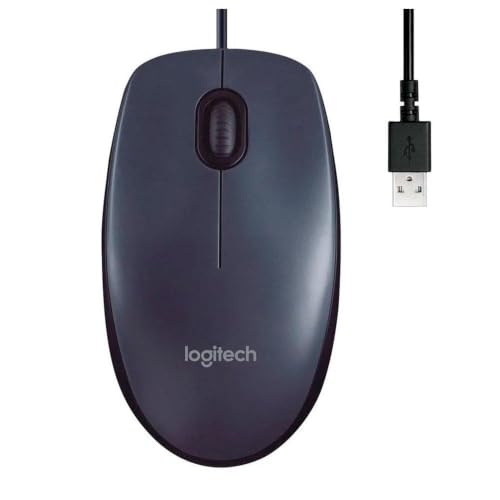
Pros of Logitech wireless mouse
- Provides precise optical tracking ensuring smooth control and reliable response during use.
- Supports a stable USB connection ensuring consistent performance without drops or lag.
- Operates with plug-and-play technology for instant use without extra settings.
Cons of Logitech wireless mouse
- Users have not met on a negative review for this product.
Ranked #4
Dell wireless computer mouse – model wm126
Number of reviews:
11,030

Pros of Dell computer mouse
- Provides a stable wireless connection ensuring reliable daily performance without interruption.
- Features an ergonomic design and compact size easy to use and travel with.
- Operates with precise optical tracking technology for smooth control on various surfaces.
- Supports fast plug-and-play without needing complex settings.
Cons of Dell computer mouse
- Users have not met on a negative review for this product.
Ranked #5
Lenovo bluetooth mouse – model gy50x88832
Number of reviews:
7,068

Pros of Lenovo bluetooth mouse
- Provides a stable wireless connection with plug-and-play technology without complex settings.
- Features an ergonomic design and compact size suitable for daily use and mobility.
- Features a long battery life ensuring continuous use without frequent replacement.
Cons of Lenovo bluetooth mouse
- Some users complained that the product they received was not genuine.
Ranked #6
iClever wireless mouse – model md172
Number of reviews:
3,125
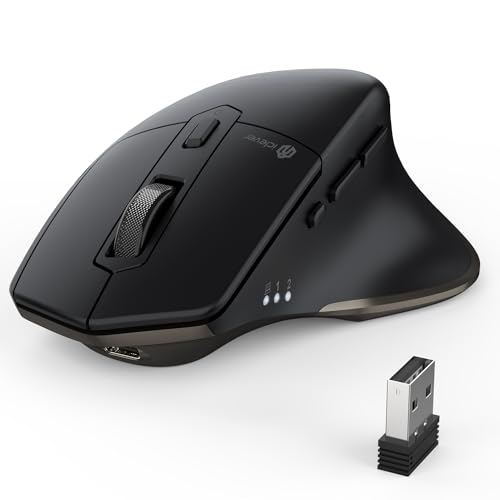
Pros of iClever wireless mouse
- Provides a stable tri-mode connection allowing quick switching between three devices easily.
- Features an ergonomic design with an extended thumb rest that reduces hand strain.
- Offers five adjustable DPI levels for precise tracking and smooth movement.
- Runs on a USB-C rechargeable battery with auto-sleep for power saving.
Cons of iClever wireless mouse
- Users have not met on a negative review for this product.
Ranked #7
HP wireless mouse – model 7ya12pa
Number of reviews:
984
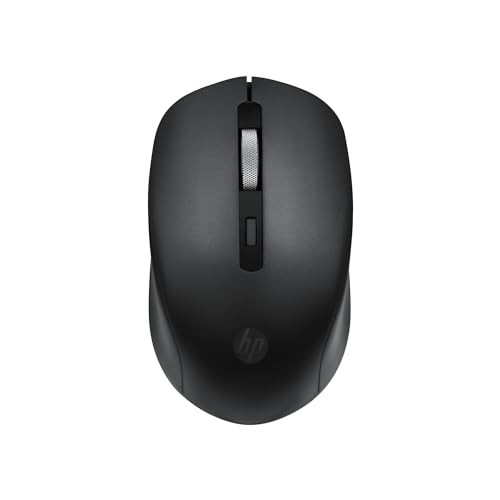
Pros of HP wireless mouse
- Provides a stable 2.4GHz wireless connection without annoying cables.
- Supports precise optical tracking at 1600 DPI for smooth control.
- Features a silent three-button design for quiet and comfortable work.
Cons of HP wireless mouse
- Users have not met on a negative review for this product.
Ranked #8
Ugreen wireless mouse
Number of reviews:
917
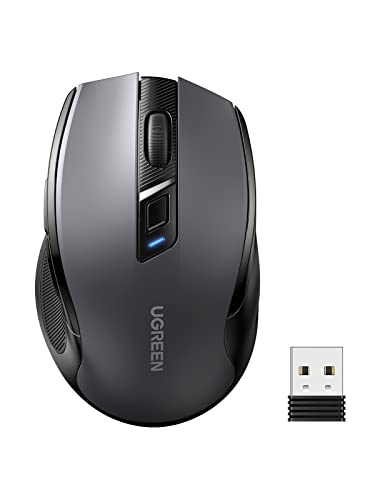
Pros of Ugreen wireless mouse
- Supports dual connection via Bluetooth 5.0 and 2.4GHz for quick switching between two devices.
- Provides precise optical tracking with five DPI levels for smooth and balanced work.
- Features an ergonomic design that reduces wrist strain with ultra-silent clicks.
Cons of Ugreen wireless mouse
- Users have not met on a negative review for this product.
Conclusion:
We at Taqyemak have gathered a list of the best mouse for you, sorted in descending order based on user reviews. Check out the summary of our top picks below:
Best gaming mouse
1- Logitech wireless mouse – silent plus m330 delivers a quiet click reducing noise by 90% compared to a traditional computer mouse for a silent experience. It provides soft rubber grips to support hand comfort during long and continuous use.
2- Razer essential gaming mouse – deathadder features an ergonomic design providing comfortable use for long hours without hand strain. It ensures high durability providing a button lifespan of up to 10 million clicks for heavy use.
3- Redragon gaming mouse – predator m612-rgb allows adjustable DPI levels between 500 and 8000 to meet different gaming needs. It provides a comfortable grip with a side rubber coating for optimal control and fatigue relief during extended use.
4- Glorious gaming mouse – model o minus features a honeycomb shell to reduce weight to 59 grams and provide hand ventilation. It provides a high-precision PixArt optical sensor with 12000 DPI and fast control.
5- Logitech wireless gaming mouse – g502 x plus lightspeed comes with LIGHTFORCE optical-mechanical switches to provide precise response during gameplay. It features a HERO 25K sensor allowing ultimate precision without acceleration or smoothing for excellent gaming performance.
6- Razer wireless gaming mouse – viper v3 hyperspeed features a lightweight design to ensure smooth and precise movements in competitive games. It comes with a Focus Pro 30K optical sensor ensuring high precision and flawless tracking on all surfaces.
7- Attack Shark x11 gaming mouse – paw3311 provides quick and easy recharging to keep the mouse always ready. It supports three different connection modes to suit all scenarios easily.
8- Ugreen gaming mouse supports recharging with a 700mAh battery and a sleep mode to save power automatically. It provides an ergonomic design with 6 buttons, including side buttons for easier browsing.
Best wireless computer mouse
1- Dell usb mouse – model ms116 provides precise LED optical tracking with a wired connection for stable, reliable performance. It provides an ergonomic design during use and reduces hand fatigue.
2- Logitech wireless mouse – model m171 provides a stable 2.4GHz wireless connection with a range up to 10 meters. It supports plug-and-play instantly without needing extra software or settings.
3- Logitech wireless mouse provides precise optical tracking ensuring smooth control and reliable response during use. It supports a stable USB connection ensuring consistent performance without drops or lag.
4- Dell wireless computer mouse – model wm126 provides a stable wireless connection ensuring reliable daily performance without interruption. It features an ergonomic design and compact size easy to use and travel with.
5- Lenovo bluetooth mouse – model gy50x88832 provides a stable wireless connection with plug-and-play technology without complex settings. It features an ergonomic design and compact size suitable for daily use and mobility.
6- iClever wireless mouse – model md172 provides a stable tri-mode connection allowing quick switching between three devices easily. It features an ergonomic design with an extended thumb rest that reduces hand strain.
7- HP wireless mouse – model 7ya12pa provides a stable 2.4GHz wireless connection without annoying cables. It supports precise optical tracking at 1600 DPI for smooth control.
8- Ugreen wireless mouse supports dual connection via Bluetooth 5.0 and 2.4GHz for quick switching between two devices. It provides precise optical tracking with five DPI levels for smooth and balanced work.
Frequently asked questions:
Why should I trust the information provided by the website?
- On Taqyemak, we work with fixed criteria that have been clarified in a transparent manner, and the application of these criteria is based on professional tools for giant search engines like Google and other tools for well-known online shopping sites like Amazon.
- To confirm the transparency principle, you can compare the ratings listed for any product on our website to what has been rated by users on the online shopping sites by entering the product link, which is located at the bottom of each product, to ensure the accuracy of all data provided by us.
How can I be sure that the prices provided are the best?
On Taqyemak, we do a monthly price analysis in the market in order to update the best prices for each product periodically.
What are the countries in which Taqyemak website provides its services?
Our website offers its services in many countries, including Egypt, Saudi Arabia and the UAE.
To view the rest of the most frequently asked questions, click here